
TwitchNew follower@username followed your channel
Public Alpha
Build complex stream automations visually.
Make OBS, Twitch, YouTube, DonationAlerts, Stream Deck, AI and more work together—without writing code.
Windows desktop · Public Alpha
See Streaming Hub in action. Watch on YouTube
A signal arrives. Your script responds.
Streaming Hub receives events from your services and runs the visual scripts you create for them. One signal can coordinate the response across your connected tools.
Welcome a new followerRuns when the signal arrives
- Check conditionsLogic
- Show a welcome animationOBS
- Generate a greetingAI
- Send the greeting to chatTwitch
Prepare before the stream.
Run during the stream.
01 / BEFORE
Build and test
Choose a signalTwitch · OBS · more
Arrange actionsVisual sequence
Test the resultTest Data · logs
Connect your services and prepare the workflow before going live.
02 / LIVE
Let it respond
Live eventSignal arrives
Streaming HubRunning in tray
Tools respondOBS · chat · AI
Keep Streaming Hub running during the stream; prepared automations execute in the background.
Inside Streaming Hub
Explore the real interface.
See the sequence editor, fields and execution log in a real project. The interface guide explains how the workspaces fit together.
Get to know the interface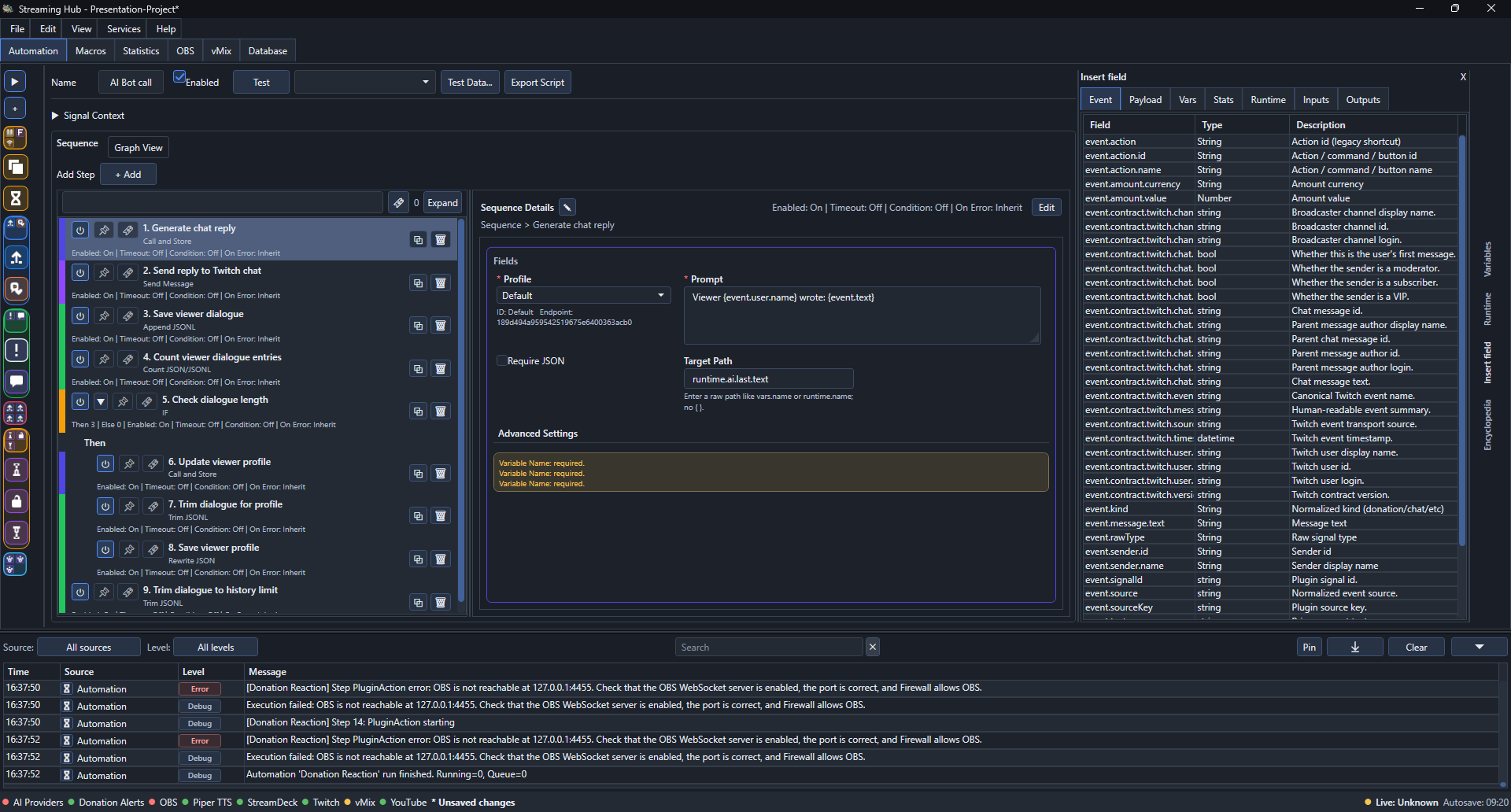 Actual app screenshot · Explore in Docs
Get started
Start with a working example.
Try a small automation first, then build a complete cross-service reaction.
Public Alpha
Streaming Hub is in Public Alpha
Expect bugs and changes. Keep a backup control method for critical live productions.
Read known issues